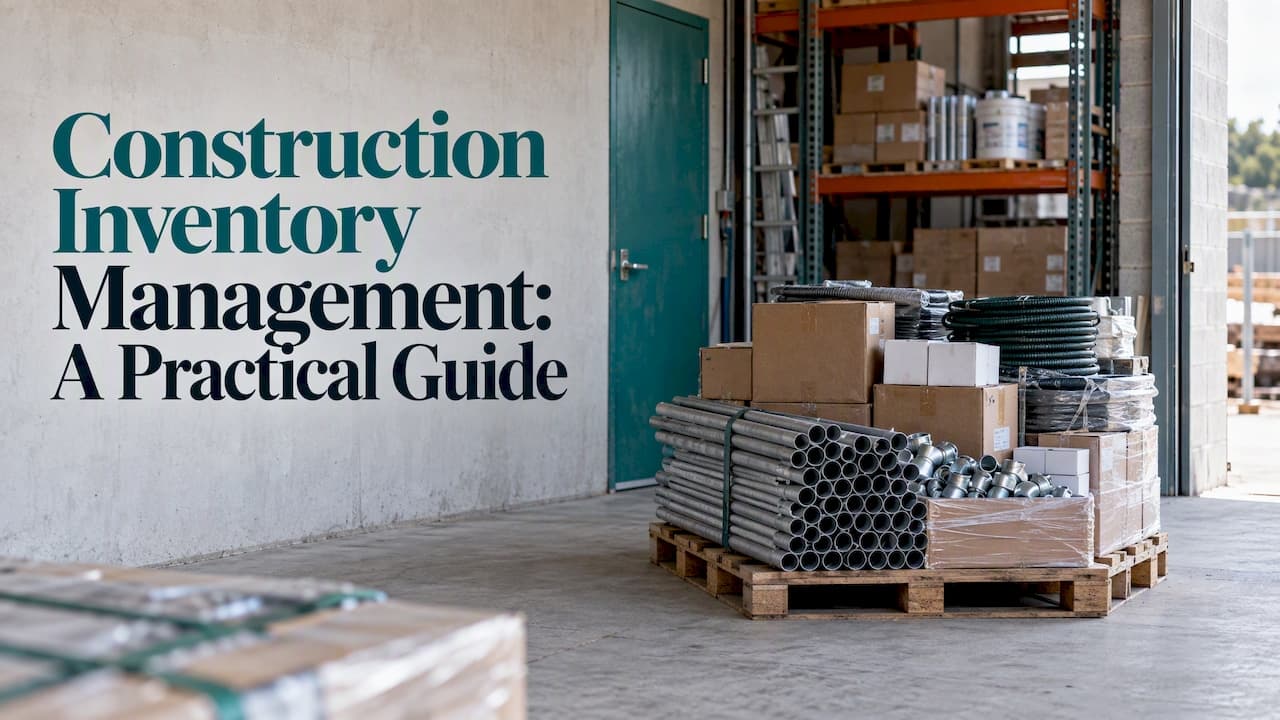
Construction inventory management is the work of knowing what materials, tools and supplies you own, where each item is, which job it belongs to, and when you need more. Done well, crews find what they need on the first trip, purchasing buys once instead of twice, and every dollar of material lands on the right project. This guide covers what to track, why it breaks down between the warehouse and the job site, how a working control cycle runs, and when a spreadsheet stops being enough.
TL;DR
- Construction inventory is more than materials: it also covers consumables, tools, equipment, prefabricated components and stock spread across several sites.
- Most problems come from poor communication between the office, the warehouse and the field, not from a lack of effort.
- A reliable cycle has six steps: forecast, order, receive, store, issue to a job, replenish. Skip one and the numbers drift.
- Spreadsheets work for one small team and one yard. Once several people update stock from several places, dedicated software pays for itself in avoided errors.
- Link every material to a job. Stock counts alone tell you what you have, not what each project really costs.
Table of Contents
- What construction inventory management covers
- Why inventory is hard to control on job sites
- How the construction inventory control cycle works
- Practices that prevent shortages and overbuying
- Spreadsheets or software: where the line falls
- What to look for in construction inventory control software
- Our perspective: stock is a project problem
- Bringing inventory, scheduling and costs into one workspace
- A simple way to start this month
- FAQ
- Sources
What construction inventory management covers
On paper it sounds simple: count what you have. In practice a contractor's inventory has several very different kinds of items, and each needs its own handling.
- Raw and bulk materials: lumber, conduit, pipe, fasteners, drywall, wire, concrete accessories.
- Consumables: blades, tape, sealant, gloves, fittings, anything used up faster than it is tracked.
- Prefabricated and specified items: fixtures, panels, units and equipment ordered for one specific job, often with long lead times.
- Tools and small equipment: items that are issued, returned, lost or sent for repair rather than consumed.
- Stock in several places: the main warehouse, trucks, a staging area, and each job site.
A general-purpose retail inventory approach struggles here because the same item can be in a warehouse bin on Monday, in a van on Tuesday, and half installed on a site on Thursday. Good construction inventory control follows the item through all of those states and ties it to the job that consumed it.
Why inventory is hard to control on job sites
The stock itself is rarely the issue. The difficulty is that the people who order, receive, store and install materials are in different places and often use different records.
Time is the first cost. One trade publication reports that material handling, meaning ordering, receiving, unloading, sorting, storing and moving materials, can take as much as 40% of an electrician's time. Every minute a technician spends hunting for a box of fittings is a minute not billed.
The second cause is structural. An academic review of digital technologies in this area points to construction's multi-organization supply chains as the reason inventory management depends on information sharing, integration, adaptability, affordability and cooperation among stakeholders. In plain terms: suppliers, subcontractors, your office and your field crews all hold part of the picture, and nobody sees all of it.
The usual symptoms look familiar:
- Phantom stock. The system says 40 units, the shelf holds 12, and nobody knows who took the rest.
- Double ordering. The field orders again because the office cannot see what already arrived at another site.
- Emergency runs. Someone drives to a supplier mid-shift because a part is missing, adding labor and fuel cost.
- Unassigned cost. Materials leave the warehouse without a job code, so project margins look better or worse than they are.
- Overstock. Items bought early for one project sit around, tie up cash and get damaged or forgotten.
How the construction inventory control cycle works
Think of inventory control as a loop with six stages. Each stage produces a record, and the record is what the next stage relies on.

1. Forecast from the schedule
Demand in construction comes from the job schedule, not from past sales. Read the upcoming work, list the materials each phase needs, and compare against what is already on hand. This is the stage most teams skip, and it is why they discover shortages on the morning of the install.
2. Order and confirm
Place orders against a specific job, with the expected delivery date and delivery location. Record the order so the receiving person knows what to expect and the office can see what is already on its way.
3. Receive and verify
Check deliveries against the order: quantity, model, condition. Record discrepancies the same day, while the driver is still there and the supplier can fix them. Receiving is the cheapest place to catch an error and the most expensive to ignore.
4. Store and label
Give every item an identity, such as a SKU or model number, and a location: warehouse bin, truck, or site container. Consistent identifiers matter more than fancy tools. Two names for the same part will split your counts in two.
5. Issue, transfer and use
When material leaves storage, record who took it, how many, and which job it is for. Transfers between locations get the same treatment. When field crews can post updates at the point of use, the office sees consumption while it happens rather than a week later.
6. Replenish and reconcile
Set reorder points for items you use constantly, and run periodic counts on high-value or fast-moving stock. Reconcile differences, find the cause, and fix the process rather than just adjusting the number.
Practices that prevent shortages and overbuying
A few habits do most of the work.
Tie deliveries to the schedule. The same trade article recommends planning procurement and deliveries around the job schedule and working with vendors to get materials when they are needed. It suggests keeping about three days' worth of materials on site, which balances flexibility against control and avoids materials arriving too early. Your own buffer will depend on trade, site security and supplier reliability, but the principle holds: stock for the near term, not for the whole project.
Assign every material to a job. If an item has no job attached when it leaves the warehouse, it becomes overhead and your project costs go wrong. Make job assignment a required step, not an afterthought.
Name one owner per location. A warehouse manager, a site lead, a truck driver. Shared responsibility for a stockroom usually means none.
Count what matters most, more often. Cycle counts on expensive or high-turnover items beat a once-a-year full count that shuts everything down.
Make the field update easy. If posting a usage update takes longer than grabbing the part, nobody will do it. Short forms, scan or select by SKU, and works from a phone.
Separate tools from consumables. Tools need check-out and return. Consumables need quantity tracking and reorder points. Treating them identically produces records nobody trusts.
Review the numbers with the schedule. A weekly look at upcoming jobs against current stock turns inventory data into decisions about what to order, move or hold.

Spreadsheets or software: where the line falls
A spreadsheet is a fair place to start, and for some businesses it stays fine. The question is not which tool is better in general, but how many people touch the data and how fast it changes.
| Situation | Spreadsheet is usually enough | Dedicated software is worth considering |
|---|---|---|
| Locations | One shop or yard | Warehouse plus trucks plus several job sites |
| People updating stock | One or two | Many, from the field and the office |
| Item variety | A short, stable list | Hundreds of SKUs and models, frequent new items |
| Job costing | Done separately at month end | Material use needs to hit project costs as it happens |
| Scheduling link | None needed | Stock needs to follow the crew schedule |
| Error impact | A missed part is an inconvenience | A missed part idles a crew or delays an install |
Signs you have outgrown the spreadsheet:
- Two people edited the file and one overwrote the other.
- The latest version lives on someone's laptop.
- You find out about a shortage when a crew calls from the site.
- Month-end job costs never match what was actually used.
- Reconciling counts takes days, so it gets postponed.
If none of these sound familiar, keep the spreadsheet and fix your process first. Software does not repair a cycle that has no discipline. It makes a good cycle faster and visible to everyone.
What to look for in construction inventory control software
When you evaluate options, judge them against the real flow of your work rather than a long feature list.
- Item identification: stock identified by SKU and model, with the ability to import your existing spreadsheet instead of retyping it.
- Locations: warehouse, vehicles and sites handled as separate places, with transfers between them.
- Job and site assignment: each material movement attached to a project.
- Field updates: crews can post usage and receipts from the site without calling the office.
- Purchasing support: orders linked to jobs and visible while in transit.
- Scheduling link: stock and crew plans in the same view, so conflicts show before the day starts.
- Cost and invoice tracking: material cost flowing into project financials without double entry.
- Onboarding: a vendor who helps set up your catalog and workflows, not just a login.
- Security: clear answers on how your data is protected and who can see what.
The common thread is connection. Inventory records that live apart from schedules and costs recreate the same communication gap you were trying to close.
Our perspective: stock is a project problem
Most inventory advice treats stock as a warehouse topic. We see it differently. For contractors and service teams, a material is only valuable when it reaches the right job at the right time, and its cost only means something when it is charged to that job.
That is why we built Velntri around connecting inventory, scheduling and finances in one workspace. When a technician posts a field update, the office sees the stock level change, the project progress move and the cost update from the same entry. Nobody has to translate between three systems or three departments.
The businesses that struggle most are rarely careless. They are working with partial information: the warehouse knows what is on the shelf, the office knows what is scheduled, and the site knows what is missing. Our view is that practical workflows beat clever features. If your crew will actually use it from a truck bed, it works. If it needs a training course to record a part, it will be skipped.
Start with a clean catalog, one owner for each location, and a rule that nothing leaves storage without a job. Then add the tools to make that rule effortless.
— Zain
Bringing inventory, scheduling and costs into one workspace
If you manage materials across a warehouse and several sites, the Velntri platform links stock to projects, crew schedules and costs, so the office, the warehouse and the field work from the same information. You can see the main capabilities on the features page, and our team handles onboarding so your existing item lists come across without starting from scratch.

If you are weighing a move from spreadsheets, the solutions overview shows how this applies to contractors, installation teams and service businesses, and the security page explains how we handle your data.
A simple way to start this month
You do not need a full rollout to improve control. Try this sequence:
- List the top 50 items by spend or by how often they cause delays. Give each one a single name and identifier.
- Define locations. Warehouse, each truck, each active site.
- Do one count of those items in each location and record the baseline.
- Require a job code on every issue and transfer for two weeks.
- Review weekly against the upcoming schedule: what will you need, where is it, what is on order?
- Note where it hurts. Every place the process stalled is a requirement for whatever tool you choose.
After a month you will know whether a spreadsheet can carry the load or whether the volume of updates calls for software.
FAQ
What is the difference between inventory management and inventory control?
The terms overlap and many readers use them interchangeably. Inventory control usually means the day-to-day tracking of quantities, locations and movements. Inventory management is broader and also covers forecasting, purchasing, storage policy and how stock ties to projects and costs.
How much material should I keep on a job site?
There is no universal number. One trade publication suggests keeping about three days' worth of materials on site as a balance between flexibility and control. Adjust for supplier lead times, theft risk and available storage.
Can I manage construction inventory in Excel or Google Sheets?
Yes, if one or two people update a short list at a single location. It becomes unreliable when several people update from different places, when you carry many SKUs, or when material use must feed job costs promptly. At that point, dedicated software saves more time than it costs.
Who should own inventory on a construction company?
Assign an owner per location, such as a warehouse manager, a site lead or a vehicle driver, and give the office one person responsible for purchasing against the schedule. Clear ownership matters more than the tool you pick.
What should I track besides materials?
Tools, small equipment and consumables each deserve tracking, but in different ways. Tools need check-out and return, consumables need quantities and reorder points, and prefabricated items need to be tied to the job they were ordered for.
Sources
- Streamlining Construction Procurement: Strategies for Effective Material Management (EC&M, 2025)
- Digital Technologies for Inventory and Supply Chain Management (Springer, 2024)